

|
These special bundles have a retail value up to $600.00. Choose the bundle that works the best for you!
Bundle 1
- The DVDO iScan HD+ by Anchor Bay Technologies, as described below
- Your choice of any of the following cables (limited to a total of 5 cables)
- 2 meter Canare LV-77S Coaxial Digital Audio Cable
- 2 meter Canare LV-61S Composite Video Cable
- 2 meter Canare LV-61S Component Video Cable Set
- 2 meter S-Video Cable, DVDO 11-2005-01
- 2 meter Breakout Cable, VGA/3-RCA, DVDO 11-2001-01
- 6 foot Breakout Cable, VGA/5-BNC, DVDO 11-2012-01
- 20 foot Breakout Cable, VGA/5-BNC, DVDO 11-2004-01
- 6 foot VGA Cable, male/male, DVDO 11-2015-01
- 2 meter Gefen DVI-D cable, male/male, Gefen CAB-DVIC-BL6MM
- Free USA shipping via FedEx Ground
Bundle 2
- The DVDO iScan HD+ by Anchor Bay Technologies, as described below
- DVDO PrecisionSDI Serial Digital Interface Video Input Module for iScan HD
models, SDI-601
- Free USA shipping via FedEx Ground
Description DVDO has introduced their newest product, the iScan HD+. It has a sleek design with a low-profile all-metal case, featuring a standard 1.75-inch high, full rack-width form.
This high-resolution video scaling processor can convert standard-definition video content from your DVD play, VCR, digital satellite receiver, PC or game console to any output resolution between 480p and 1080p, as well as high definition sources (720p and 1080i). The most significant benefit to the HD+ is
the HDCP compliance over DVI feature. This high-performance device has so many additional benefits and features that it's hard to even list them all within the confines of this page. Here is DVDO's description:
The DVDO iScan™ HD+ is a high resolution video scaling
processor and A/V switcher that sets a new standard for upconverting,
cross-converting and even downconverting all your video sources. Whether
it's your VCR outputting 480i, your DVD player at 480p, or your
Set-top-box at 720p or 1080i, the iScan™ HD+ will scale the output to
perfectly match the optimum resolution of your display - 720p, 1080i, or
any user-defined resolution up to 1080p.
It is HDCP compliant over DVI,
and also accepts your legacy 480i/480p analog sources. The iScan HD+
functions as your complete A/V hub, providing simultaneous audio/video
switching with automatic video upconversion/processing.
-
Motion and source adaptive
video deinterlacing for NTSC (3:2 and 2:2 pulldown; video) and PAL/SECAM (2:2
pulldown; video) sources -
Precision Video Scaling™
technology by Anchor Bay Technologies -
Fully HDCP compliant over DVI
-
Scaling of HD sources over DVI -
User defined output video
resolution from 480p up to 1080p -
Flexible Input and Output
Aspect Ratio Control -
Display Profiles - For multiple
display configurations -
RightRate™ High-performance
Framerate Conversion -
AutoVFR™ - Intelligent
Component video inputs with Automatic Video Format Routing -
Advanced Source Transition
Management provides seamless transitions between source types -
AutoCUE-C™ - Automatic Chroma
Upsampling Error detection & correction -
12-bit video digital-to-analog
converters (DACs) -
Full-frame Timebase Correction -
High performance, 10-bit
multi-standard video decoder -
High quality super-adaptive
comb filter with 2D Y/C separation -
Flexible Digital Audio
switching and routing - four audio inputs and two audio outputs -
Precision AV LipSync™
intelligent digital Audio Delay technology to match Audio & Video timing
Product Review by Mark Schneider
Looking at the list of features above might lead one to ask, what does all of this mean?
Digital Video Output
Let me concentrate first on digital video, since that is what puts the "+" in the iScan HD+. In short, this model can do just about anything that one would want to do to a digital video signal. Connect virtually any DVI or HDMI-enabled source component, with a 480p, 576p, 720p or 1080i digital output and
the iScan HD+ will process and scale that input to any resolution and format, from 480p to 1080p, and everything in between, then output that video via DVI. The unit can up-convert, cross-convert, and even down-convert.
The DVI video output is compatible with virtually all HDTV and computer displays, and works equally well with DVI or HDMI inputs. Many popular output resolutions and formats are pre-configured. In many cases, these pre-configured formats will be all that is needed, but the output can also be tweaked to
exactly match the resolution and format that extracts the maximum performance from almost any given display device. The iScan HD+ is HDCP-compliant, for maximum compatibility.
If more than one digital video input is needed, Cable Solutions has digital
video switchers that can expand the number of inputs. In addition to the DVI input, an SDI (Serial Digital Interface) input module is available as an upgrade option, adding compatibility for
a source component with a standard definition professional
output.
Aside from the digital video inputs, the iScan HD+ also has an impressive array of analog video inputs, including (2) composite, (2) S-Video, (2) component video, as well as an analog pass-through input. If you've had an HD-capable display for a while, you probably already know how easy it is to get spoiled by
the video quality of HDTV programming. Switching over to a standard definition source can be a big let-down. Of course, no video processor can make SD look like HD, but with the iScan HD+, the full extent of Anchor Bay Technologies' video processing prowess is brought to bear.
Of course, this is an iScan, so you can bet that 480i de-interlacing is first class. The HD+ uses the Silicon Image Sil504 - one of the finest inverse-telecine IC solutions available at any price. Inverse-telecine processing produces artifact-free deinterlacing of 24 frame-per-second film-sourced
material. Mode detection is excellent. For example, the Video Essential "Montage of Images", which includes many film to video mode transitions, was rendered flawlessly.
The next weapon against inferior-looking SD video is high-performance scaling. All inputs, up to 480p, are scaled to the selected output format and resolution. For example, the HD+ does an outstanding job of up-converting to 720p, which is a perfect match for many DLP-based HDTVs and projectors. Many display devices have poor built-in scalers, so the iScan HD+
provides superior performance in those cases.
In addition, the iScan HD+ has a full-frame Time Base Corrector (TBC), which can make a significant improvement in image quality, particularly with video sources that have poor timing stability, such as VCRs. A "chroma up-sampling error" filter corrects MPEG decoder artifacts, effectively compensating for the
"chroma bug" that most DVD players have. Separate picture controls for each input, and full aspect ratio control add to the overall video improvement.
Analog Video Output So far I have only written about the digital video output, but the iScan HD+ also has a high-performance analog video output in the form of a VGA-style HD-15 connector. This output supports a number of popular conventions, including
Y/Pb/Pr component video and R/G/B/H/V. It can be used with a VGA cable, or a VGA breakout cable can be used to break out 3 - 5 connectors as required to match your display device.
In is important to notice that only one output can be active at any given time, so for practical purposes, one must decide which output provides the greatest advantage with a given equipment mix, then use that output exclusively. For example, if your display device does not have a DVI or an HDMI input, that
would make the analog output your clear choice.
Most of what I said about the DVI output can also be said for the analog output, except for the parts about DVI inputs - the HD+ does not convert high-definition DVI inputs to analog. On the other hand, one of the advantages of using the analog output would be to take advantage of the high-bandwidth analog
pass-through input.
The HD+ also has the ability to output SD sources in virtually any format and resolution on the analog output. The advantage of this ability would be exemplified in the case where a projector requires a signal in the RGBHV colorspace. All inputs up to 480p can be de-interlaced, processed, scaled and
transcoded to the ideal output resolution and format. Keep in mind that component video and DVI inputs above 480p will not be processed - they will just get passed through.
For either output, the iScan HD provides 27 built-in test patterns to aid in adjustment for maximum performance. Brightness, contrast, geometry, color bars, grayscale, checkerboards, crosshatch, focus, pixel lines and frame rate patterns are included.
Digital Audio Processing In addition to video processing, the iScan HD+ also has ABT's "Precision AV LipSync Intelligent Digital Audio Delay technology". This feature is designed to correct the timing differences between video and audio that are common with digital programming. The HD+ has four digital audio
inputs - two optical TOSLink and two coaxial and each of these inputs may be assigned to any of the video inputs. Both optical and coaxial outputs are provided, and both are simultaneously active, so either one or both may be used as desired.
Operation and Controls The unit may be controlled at the front panel via nice soft-touch switches, or with the included IR remote
control. In addition to a full on-screen menu system, the iScan HD+ also has a four character display on the front panel that is large enough to read from across a room.
The remote control has dedicated buttons for each of the nine inputs, as well as each of the aspect ratios: 4:3, LBX, 16:9, preset, pan, and zoom. This also means that there are discrete IR codes for each of these buttons, which is ideal for use with remote control macros.
This processor can be as simple or as complex as the user wants it to be. The presets work well in most cases, without further adjustment, but for those who wish to extract every last bit of performance from their system, it is also possible to tweak almost every conceivable parameter of the output in great
detail.
Observations I used a Sony VPL-VW10HT projector with a native resolutions of 1366 x 768 for my testing of the analog output and a Samsung flat-panel monitor with 1280x1024 resolution for evaluation of the DVI output. The Sony projector has a decent scaler and de-interlacer, but the iScan was clearly superior in both
regards. I sampled DVDs with the iScan set for both 720p and 1080i output resolutions. I noticed in particular that the images were free from both de-interlacing and scaling artifacts. With highly detailed DVDs, such as The Fifth Element, the scaling did not produce the artificial quality that I have
noticed with some scalers.
Dark program material presents one of the greatest challenges to any LCD display. The VPL-VW10HT has a limited contrast ratio, but Sony has done a very good job with preserving shadow detail, so I was curious to see how the HD+ would contribute in this very difficult area. I found that dark
scenes had a greater depth than I am accustomed to seeing with this projector. Dark backgrounds were rendered with a pleasing lack of video noise. Shadow detail was even better than usual. This projector has good color accuracy, so I was pleased to observe that the iScan did not impose a penalty in
this area.
Sampling scenes from X-Men, I noticed an improvement in the sharpness of some of the lettering, and vertical pans were obviously superior as compared the de-interlacer in the projector. On all DVDs that I sampled, the iScan did a very nice job with scrolling credits, whereas the internal processor was unable to
cope.
When viewing via the DVI output on the Samsung flat panel monitor, I set the iScan to exactly match the 1280 x 1024 native pixel resolution of the monitor. This monitor was designed primarily as a computer monitor, so the built-in de-interlacer/scaler is just about average. The improvement that the iScan HD+
brought to this setup was even more obvious than with the Sony projector. The complete lack of scaling artifacts made a striking difference with this display. The iScan also did a better job of de-interlacing than the PC that I normally use with this monitor. Prior to this test, I had observed
that this monitor really didn't have what it took to do a good job with video material, but the iScan HD+ forced me to reconsider that observation. What I had previously considered to be inherent noise in the monitor design was missing when using the iScan. It was a pleasant surprise to find that the
monitor could look so much better than I had thought possible.
Moreover, the iScan processor made all of the program material that I sampled look more natural with both displays. To say that it was more film-like really only tells part of the story. LCD projectors do not suffer from flicker as a film does, so they already have that advantage over film. On the
other hand, video artifacts generally create what can only be described as a "video look" that tends to diminish the perceived naturalness of a program. With the iScan HD+, I found that picture was more pleasing in a way that is difficult to describe. Rather than adding to the video, the iScan seemed to
be working to remove the tiny intrusions that conspire to take one out of the viewing experience.
In evaluating equipment and cables, I have watched so much video that I have become highly attuned to everything that can (and often is) wrong with a video picture. I tend to analyze every defect. Sometimes I will notice some video artifact right in the middle of a movie and I will be completely
distracted. It is a curse that relates to my line of work. So for me, the fact that the iScan HD+ does not call attention to itself is a very good quality. Rather, it works to take the tiny distractions away...to reduce them to a level that is below my threshold of distraction. I found that I
would start watching a movie to evaluate the iScan, but then I would get drawn into the movie and forget about the evaluation. This happened several times, with several different program sources. I'm talking about standard definition material from satellite, laserdisc, and yes, even from a VHS tape!
For me, the small differences made all the difference.
Additional Information
To read an independent review, by Greg Rogers in Widescreen Review: click here
For a brochure in PDF format: click
here
To view the owner's manual in PDF format: click
here
The iScan HD does not include input or output cables, but we have many
cables listed here. If you don't see what you need, or if you want some help,
please feel free to contact us.
Why Cable Solutions?
In-stock items are ready for immediate shipment, and no one works
harder than we do to get your order shipped out to you fast! On business
days, orders that are funded by noon will ship the same day. Orders funded
on weekends or holidays will ship the next business day.
Customer service is our first priority. We do our best to help you find
the best solutions for your particular application. We're enthusiasts too,
so we know what it's like to wait for cables and accessories that are needed to
hook up new gear. We also know how important it is to be able to get a
response when you need help, so you'll often find us working long hours in an
effort to get you the answers that you need.
Design excellence, high quality materials, meticulous workmanship, and
superior service...put it all together and you get a superior product.
Don't get stuck with bad advice, poor service, slow shipment or an inferior
product. If you want the best, here it is.
Miscellaneous
| Note to our valued customers:
Anchor Bay Technologies has set a Minimum
Advertised Price of $1499.00 for the DVDO iScan HD+. All authorized
dealers are under contract to respect this MAP policy. If you see a
new iScan HD advertised for less than this amount, the dealer is either not
authorized, or is about to become un-authorized by DVDO. If
you value dealer support, it would be wise to avoid such dealers.
Please click
here to see a partial list of offending dealers on DVDO's website.
Sincerely,
All of us at Cable Solutions
|
Please click here to read our policies and disclaimer. Thanks for reading all of this!
|
SKU Number MM602
Bundle Price: $1499.00

Click on any of the pictures below for a closer view!

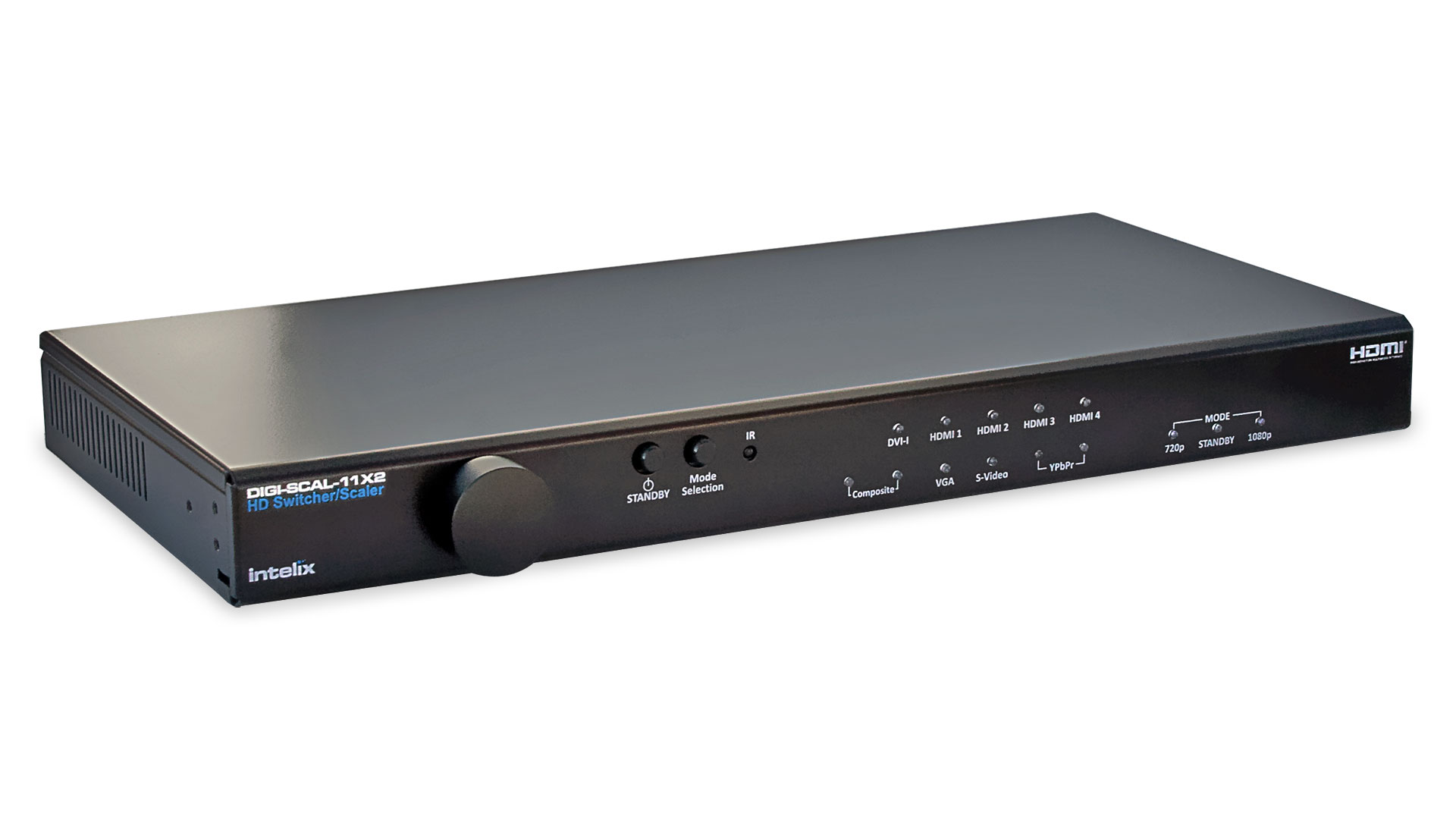
Here is a picture of the front panel of the iScan HD,

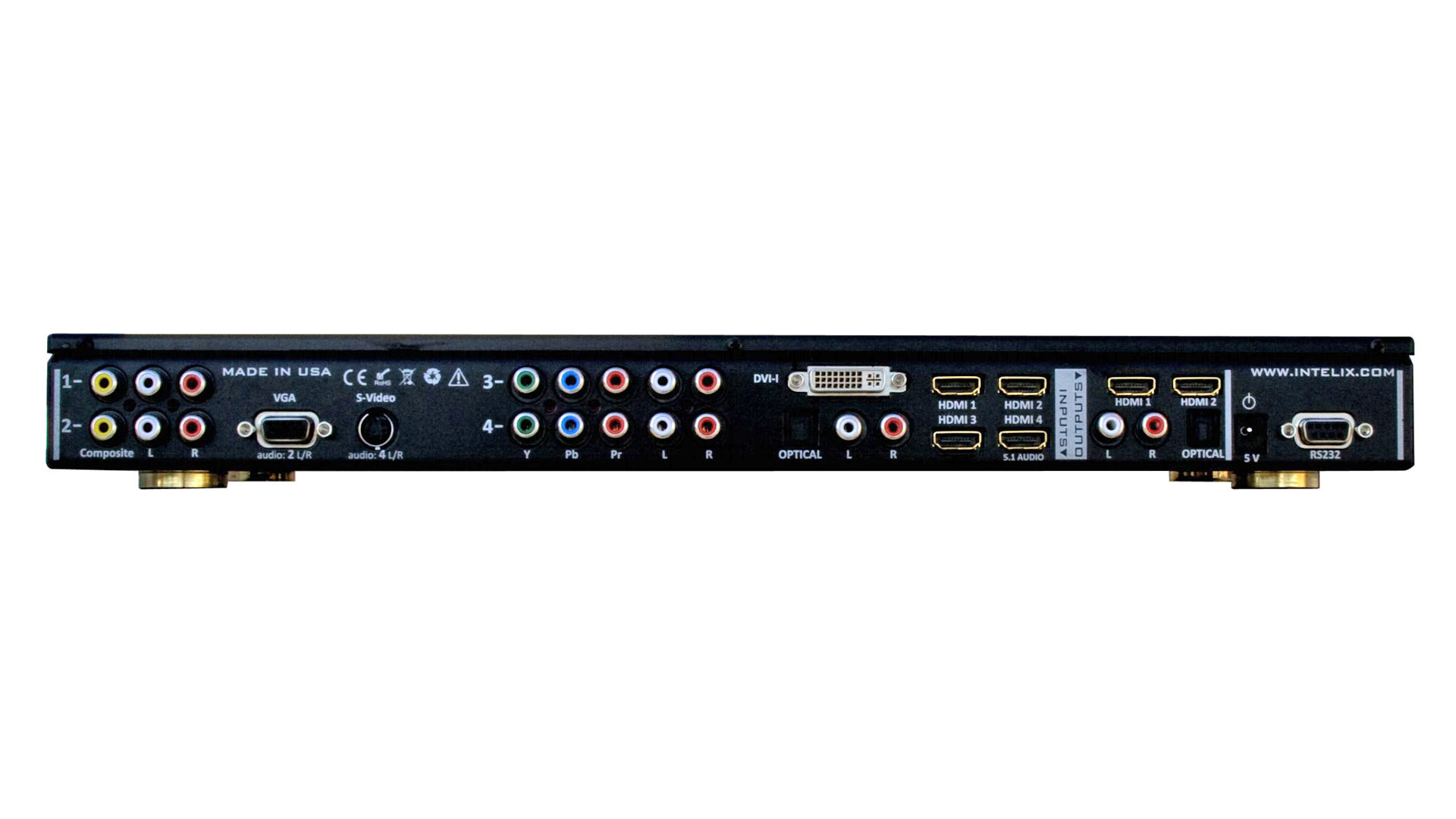
The rear panel is shown here.

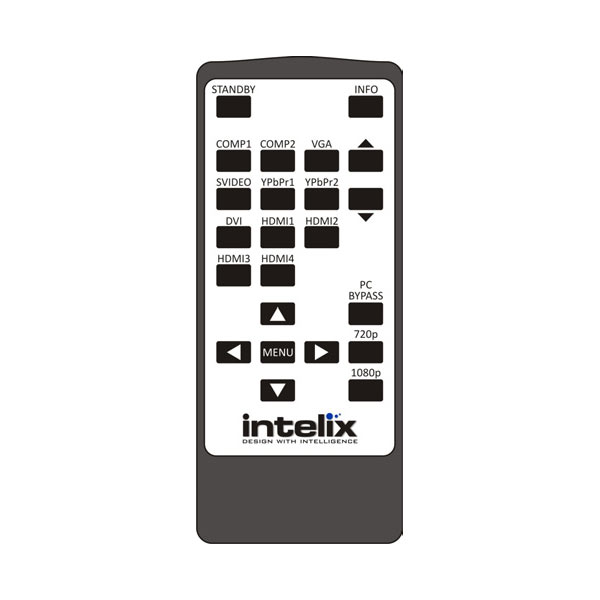
This is the included remote control.

Shown here are the package contents: The iScan HD+, Product Guide, serial cable, remote control, power cord, and power supply.

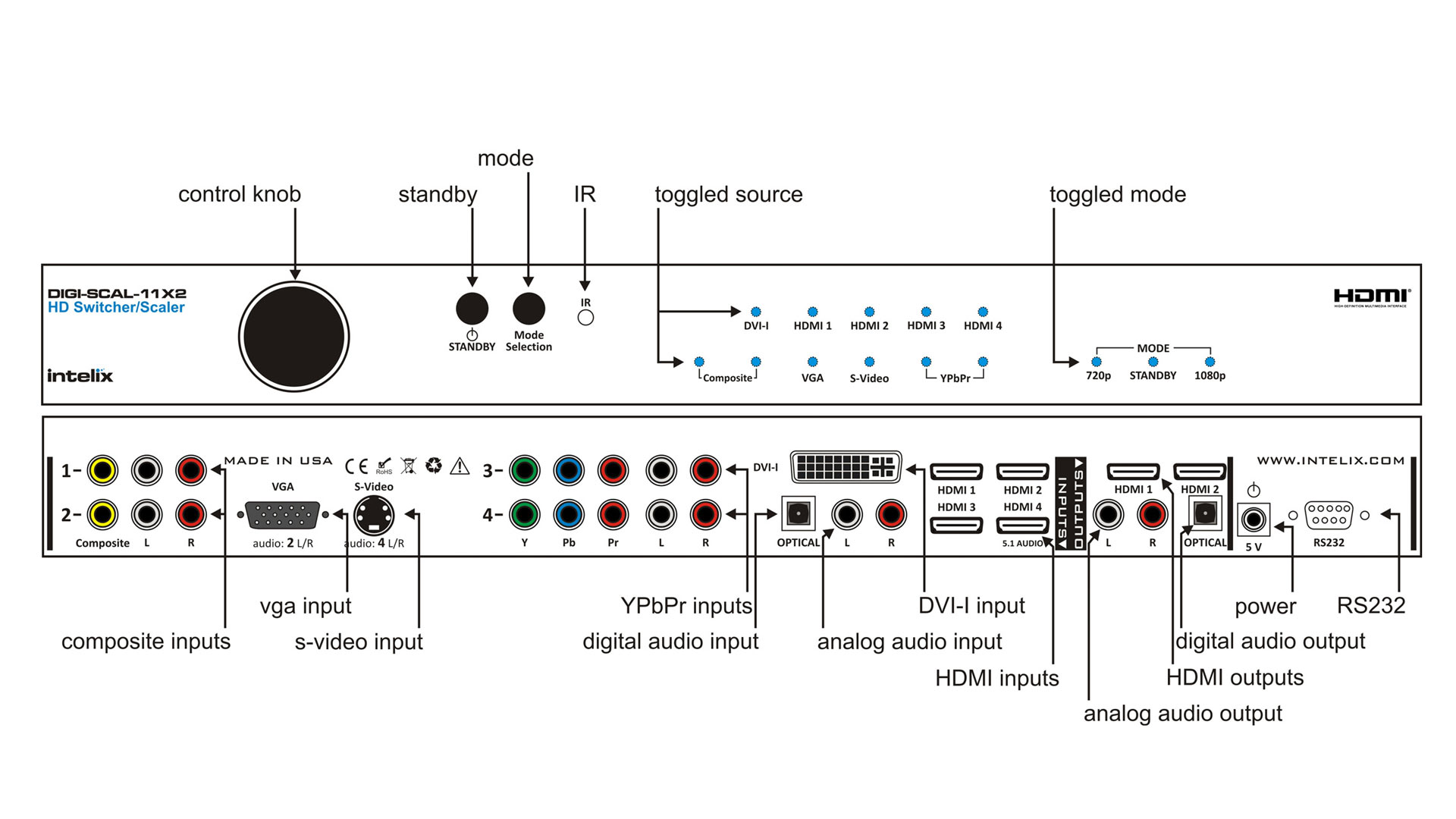
This diagram shows the inputs/outputs in greater detail.

This flow chart shows some examples of the source components that might be
connected to the iScan HD.
|